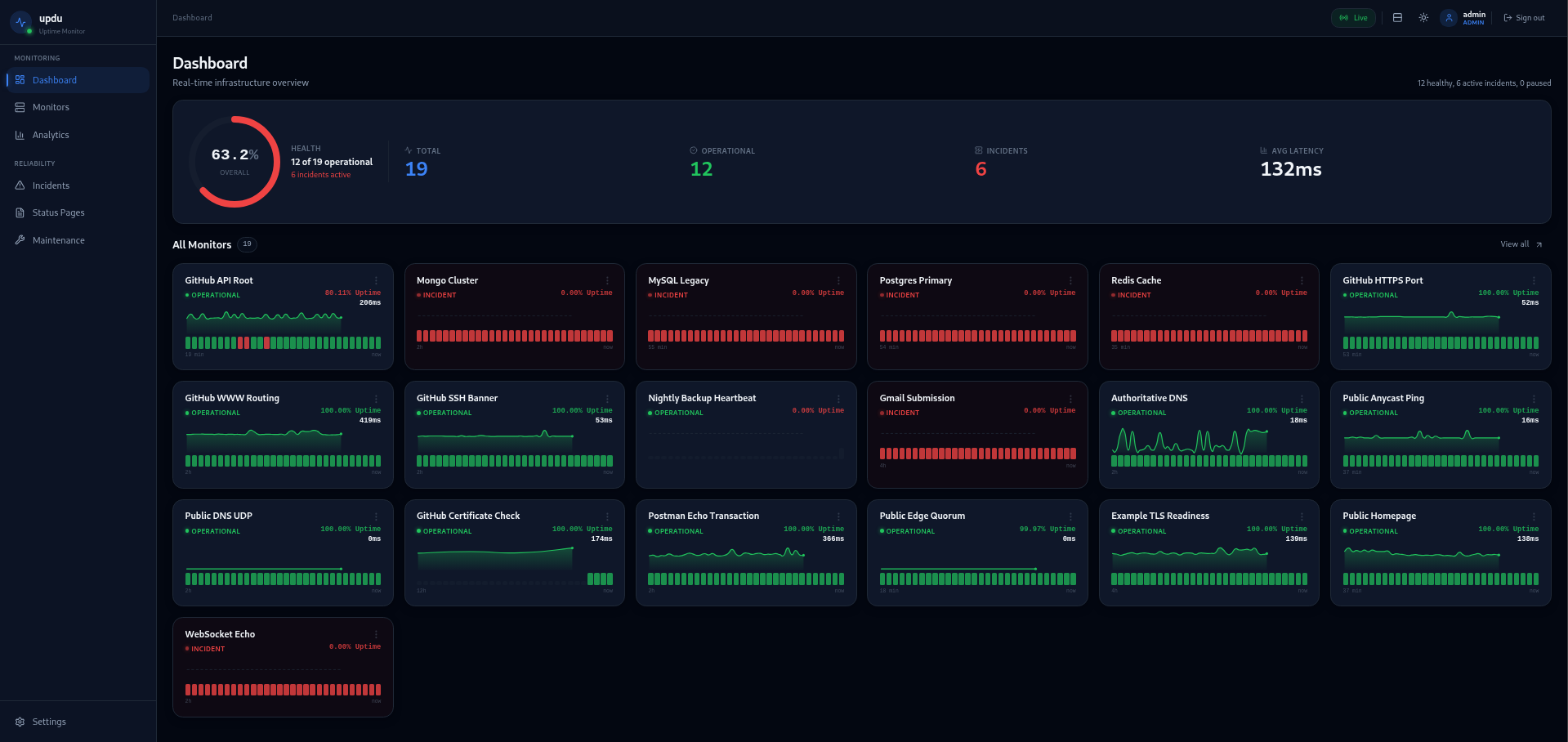
Real-time dashboard
SSE-powered live updates with no polling. Watch checks change state the moment they do.

Self-hosted uptime monitoring
updu is a lightweight uptime monitor written in Go. Five core monitor probes (unified HTTP/HTTPS with TLS cert expiry, TCP port, ICMP ping, DNS resolution, and Push heartbeats) ship beside public status pages, incidents, and a real-time dashboard in one self-hosted binary that runs on a Raspberry Pi or a cloud VM.
Features
No Kubernetes. No external database. No surprise SaaS bill. Just a single Go binary, an embedded SvelteKit UI, and SQLite.
SSE-powered live updates with no polling. Watch checks change state the moment they do.
Declarative YAML config with deterministic IDs. Commit your monitors alongside your code.
Custom slugs, grouped monitors, custom CSS. Share confidence with users and customers.
Severity levels, status progression, and one-time or recurring maintenance windows.
One-click updates from GitHub Releases with checksum verification and a stable or prerelease channel.
GET /api/v1/metrics exposes monitor, runtime, and incident gauges out of the box.
5 core probes
Built to cover the foundational pillars of infrastructure without external database bloat or third-party dependencies: HTTP/HTTPS with TLS cert expiration warnings, TCP port reachability, ICMP ping, DNS resolution, and inbound push heartbeats.
And three built-in notification channels: Webhook, Discord, and Ntfy
Install
Pick your platform. Open http://localhost:3000 and register your admin account.
Native binaries are published for Linux. If JavaScript is enabled, updu will suggest a likely target for your browser platform.
Recommended Linux target
Linux x86_64
Best guess from your browser. You can switch targets manually below.
curl -LO https://github.com/nwpeckham88/updu/releases/latest/download/updu-linux-amd64
chmod +x updu-linux-amd64
./updu-linux-amd64docker run -d \
--name updu \
-p 3000:3000 \
-v updu-data:/data \
-e UPDU_AUTH_SECRET=$(openssl rand -hex 32) \
ghcr.io/nwpeckham88/updu:latestcurl -O https://raw.githubusercontent.com/nwpeckham88/updu/main/docker-compose.yml
printf 'UPDU_AUTH_SECRET=%s\n' "$(openssl rand -hex 32)" > .env
docker compose up -dOpen source. MIT licensed. Yours to run, fork, and extend.